Groat, a self-hosted expense tracker
I've released Groat, an expense tracker you run yourself. You add an expense in one line, and an optional AI can answer questions about your spending.
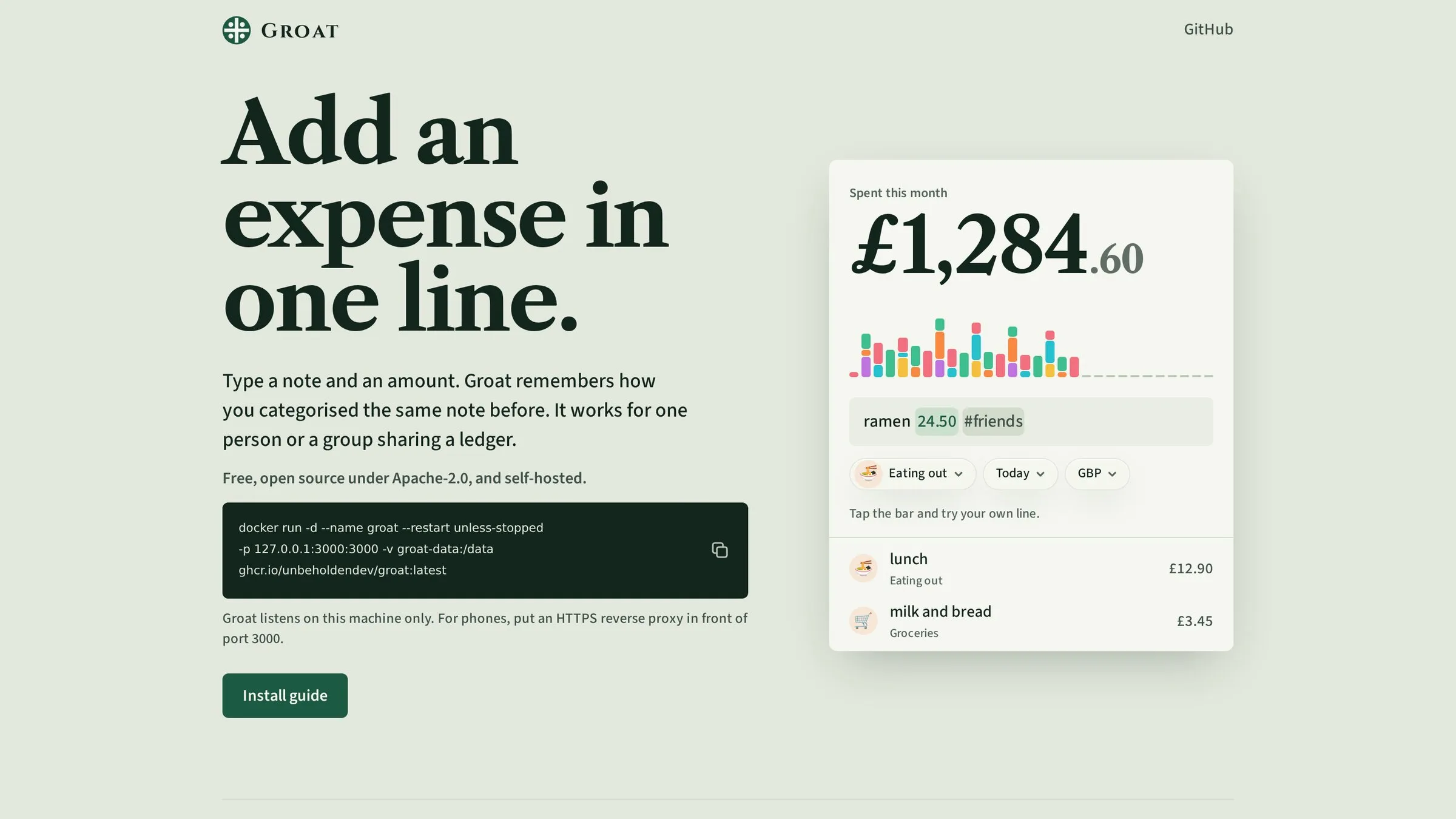
I’ve released Groat, an expense tracker you run yourself. You type “ramen 24.50 #friends” and it’s saved, with the category filled in from what you wrote before. Groat runs in one Docker container and stores the ledger in SQLite. You can use it on your own or share it with your household.
What it does
You add most expenses in the add bar, as a note, an amount and some tags. Beyond that, it has:
- every currency Frankfurter quotes, plus Bitcoin in BTC or sats, with rates fetched for you and totals in your base currency
- recurring expenses, every N days, weeks, months or years, optionally confirmed each time
- categories two levels deep, free-form tags, filters and CSV export
- stats for any period against the one before, with a breakdown you can open category by category
- members with their own sign-in sharing one ledger
- a token for posting a line from an iOS Shortcut or Tasker
It works offline too. Install it to your phone’s home screen, and expenses you add without a connection queue up and sync when you’re back.
A little AI
AI is optional, and everything above works without it. An admin turns it on once for everyone, with any API that speaks OpenAI’s format or a ChatGPT plan. It’s useful here because it can see your spending:
- photograph a receipt and get an expense to check before it’s saved
- dictate “taxi home 14.80” into the add bar (requires an API key for a speech-to-text model)
- start the add bar with a question mark and ask how much went on eating out this year
- once a week it looks over the ledger and, if something stands out, leaves an unread chat: a price that crept up, a category well above usual, a recurring expense that changed
- ask it in the chat to add, change or delete expenses, categories, tags and recurring expenses
What it reads goes to the provider you chose, so pick one you’d trust with your spending, or run a model yourself.
Where it came from
Groat isn’t my first expense tracker. In March 2024 I started Lofextra, a local-first one. I wanted to track my family’s spending without handing it to a company, and the self-hosted options I tried, Actual and Firefly III, felt like more than I needed.
Lofextra kept everything on your device, in SQLite running in the browser. It worked offline as an installed web app, and a server passed encrypted changes between devices without being able to read them. Conflicts went to the last write. There was no account. You got a 12-word phrase, as with a Bitcoin wallet, and typing it on another device brought your data across.
I built it without a library for local-first apps, so I wrote the sync myself and later pulled it out into its own library, lofik. My browser queries had little type safety. Exchange rates, Bitcoin included, and recurring expenses were there too, but local-first made them far harder to build than they would be on a server.
Starting again
In October 2026 I started Groat. I put the ledger on the server so it could fetch exchange rates and create recurring expenses. It can also record an expense sent from a phone shortcut.
You still control the hardware, but the server can now read the ledger. That gives up Lofextra’s end-to-end encryption. If you turn on AI, the server can send spending data to your provider.
Running it
docker run -d --name groat --restart unless-stopped \
  -p 127.0.0.1:3000:3000 \
  -v groat-data:/data \
  ghcr.io/unbeholdendev/groat:latest
Open http://localhost:3000 and create the first account, which becomes the admin. For a phone,
put HTTPS in front of it. The microphone and offline mode need it. The
README covers backups, the AI settings and the rest.
It’s free and open source under Apache 2.0, with the source on GitHub.